Ready to quit?
Download the CraveLess.Me app and start your journey today.


How to Track Where You Smoke to Quit Smoking Faster
You know the feeling. You're in a specific place—your back porch, outside the office, in your car—and the urge to smoke hits. It's not random. Your environment is one of the most powerful triggers for smoking. Understanding this link is a game-changer for quitting. That's why we built a feature to let you log the location of every cigarette. It’s not just another data point; it’s a map to your smoking habits, showing you exactly where your triggers live so you can avoid or disarm them.
Why Your Smoking Location Matters
Smoking is a habit deeply tied to context. Your brain associates specific places, people, and routines with the act of lighting up. This is called context-dependent memory. By identifying these "trigger locations," you can:
- Spot patterns you can't see otherwise: You might not realize 80% of your cigarettes are smoked in your car until you see the data.
- Plan avoidance strategies: If you always smoke on your afternoon work break, take a different route or call a friend instead.
- Break the automatic habit loop: Seeing the location data makes the unconscious trigger conscious, giving you power to interrupt it.
How to Enable Location Tracking in the App
Getting started takes less than a minute. Here’s how to turn on this powerful insight tool.
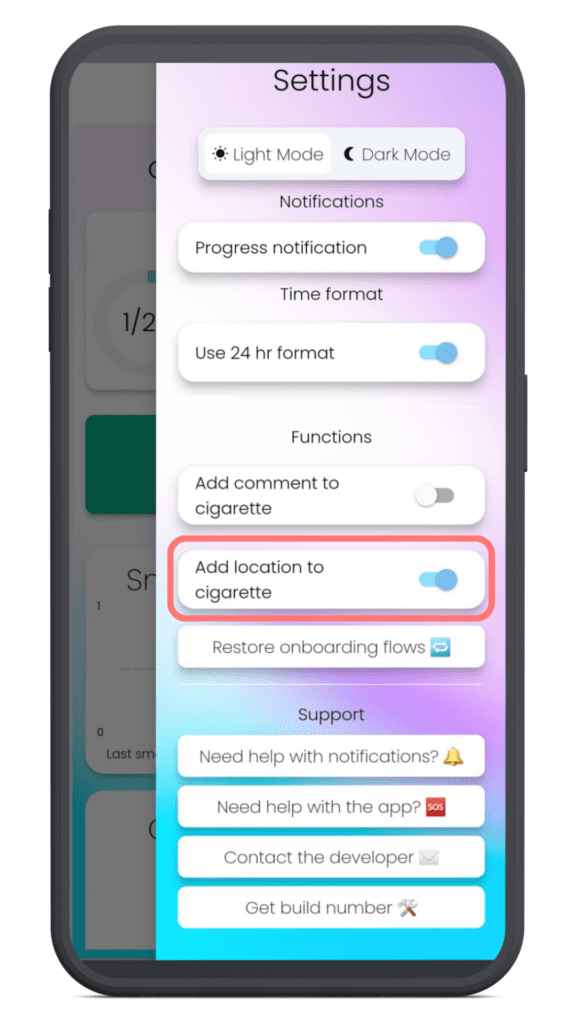
Step 1: Turn On the Feature
Open the app and go to Settings. Look for the option labeled 'Add location to cigarette' and toggle it on.
Step 2: Grant Location Permissions
The app will ask for permission to access your location. Tap "Allow" or "While Using the App." This is essential for the feature to work. Don't worry, your location data is private and only stored on your log.
How to Log a Cigarette with Its Location
Once the feature is enabled, logging works as you’re used to, with one powerful addition.
Log as Normal
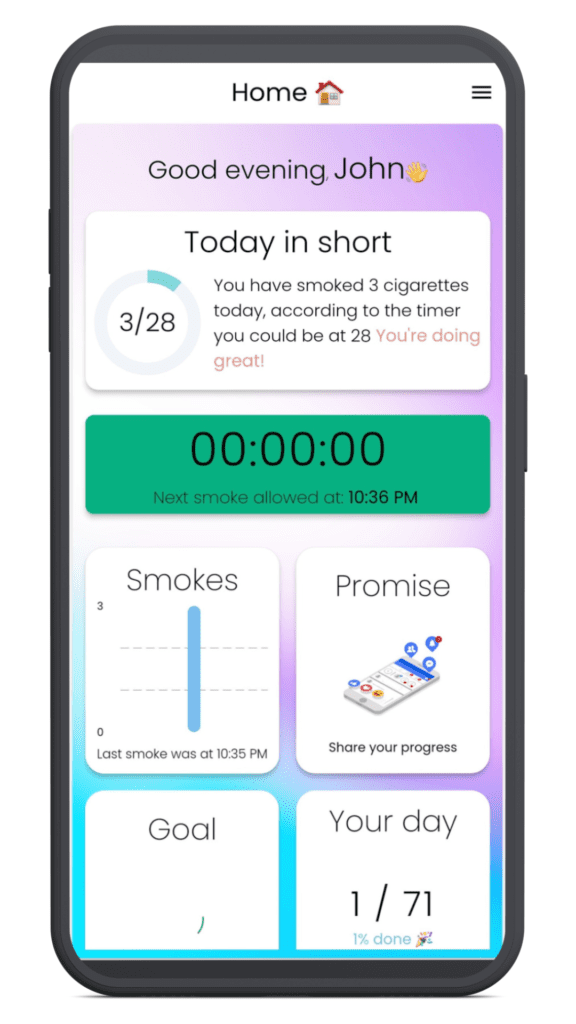
When you log a cigarette, the app will now automatically attach your current location in the background. You don't need to do anything extra.
If You Forgot Location Services
If your phone's location services are off, the app will remind you. Simply turn them on and log the cigarette again to capture the location.
Viewing Your Location Insights
The real magic happens when you review your data. Here’s where you’ll find your insights.
In Your Smoking Overview
Go to your smoking history or overview. You’ll now see a small location pin icon next to each cigarette entry. Tap on any log to see the exact address or place name where you smoked.
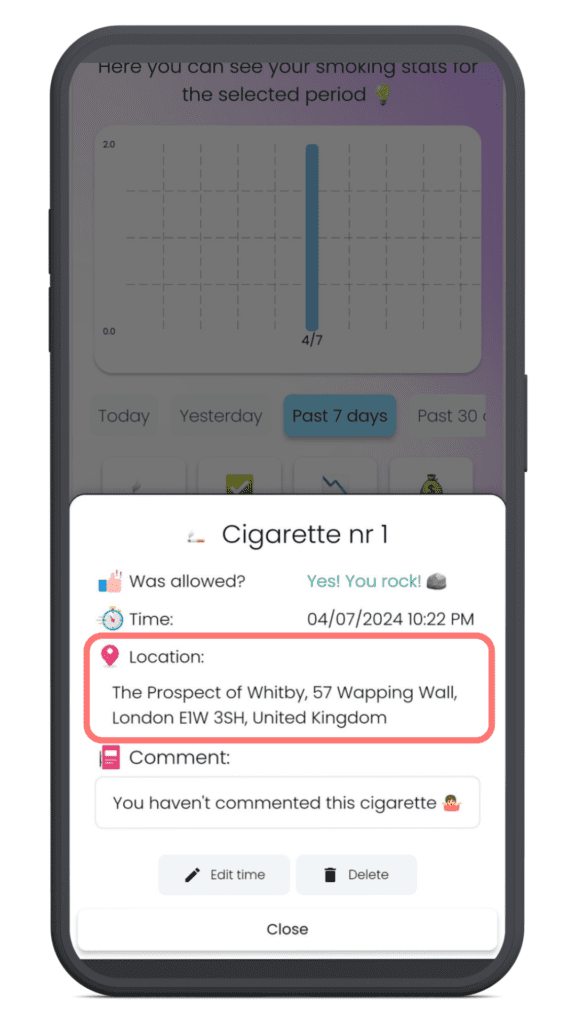
Understanding the Icons
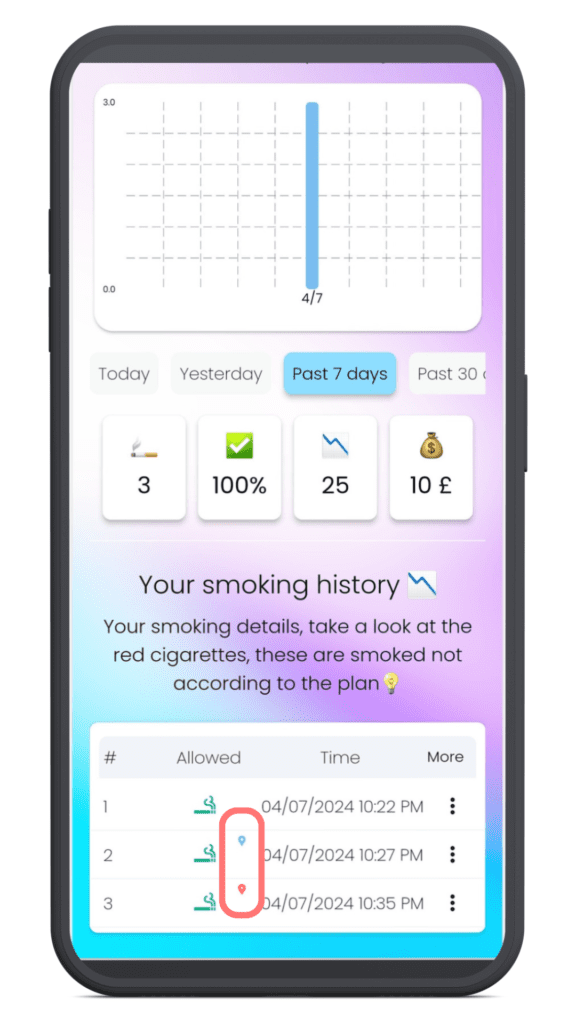
- Blue Pin: Location successfully saved with an address.
- Red Icon: The app couldn't retrieve an address (usually due to no internet connection at the time).
If you see a red icon, tap the log and select "Try Again" when you're back online to update it.
How to Use This Data to Actually Quit
Tracking is only step one. The goal is action. After a week of logging, ask yourself these questions:
- What are my top 3 trigger locations? (e.g., Home, Work, Friend's House).
- Can I avoid one of them this week? For example, if you always smoke on your driveway, enter through the garage instead.
- Can I change the routine in that location? If you smoke with your morning coffee on the porch, try having your coffee at the kitchen table instead.
By disassociating the trigger from the action, you weaken the habit's power.
Your Path Forward: From Insight to Freedom
Quitting smoking is about understanding yourself. This location feature gives you a concrete, visual map of your habit's terrain. You're not just fighting a craving; you're learning its origin point. Use this knowledge to plan your days differently, avoid your biggest traps, and build new, healthier routines in the places that once defined your smoking. Every location you identify and manage is a direct step toward a smoke-free life.
Frequently Asked Questions
Is my location data private?
Absolutely. The location data is only stored with your personal cigarette log within the app. It is not shared publicly or with third parties.
What if I don't have an internet connection when I log?
The app will save the GPS coordinates, but it needs an internet connection to translate those into a readable address (like "123 Main St"). When you're back online, tap the log with the red icon and select "Try Again" to get the address.
Does this drain my phone battery?
The app only accesses your location briefly at the moment you log a cigarette. It does not track your location continuously in the background, so the impact on battery life is minimal.
Can I turn this feature off?
Yes. You can toggle the 'Add location to cigarette' setting off at any time in the app's Settings menu. Your previously logged locations will remain in your history.
CraveLess.Me Team
Empowering individuals to reclaim their health and freedom from nicotine through science-backed strategies, innovative technology, and compassionate support.