Ready to quit?
Download the CraveLess.Me app and start your journey today.


Tracking your cigarettes is a powerful first step to quitting. But to truly understand your habits, you need to analyze the data. The new filtering feature in the CraveLess.ME quit smoking app turns your raw log into actionable insights, helping you see patterns, learn from slip-ups, and strengthen your plan.
What is the Smoking History Filter?
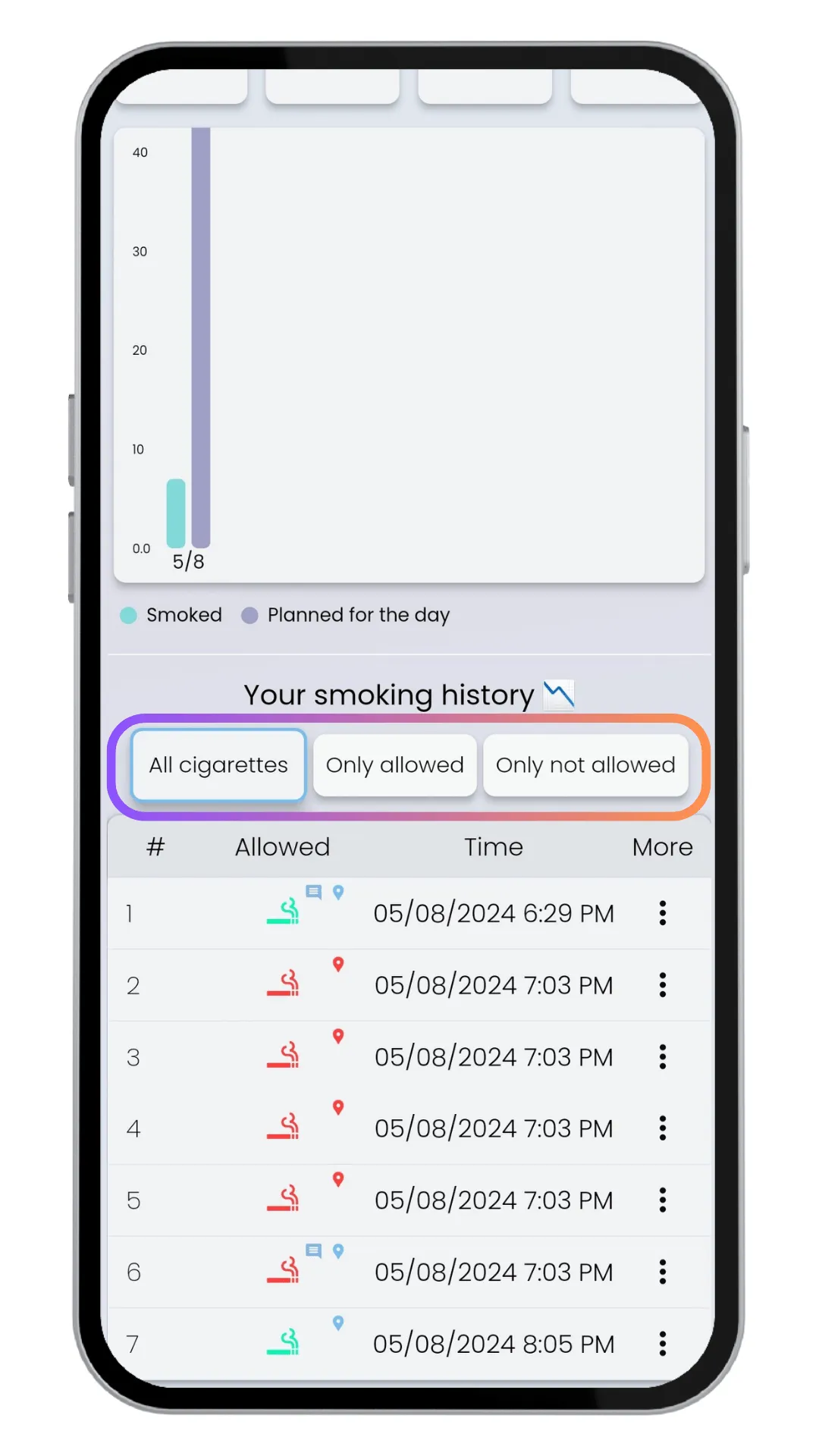
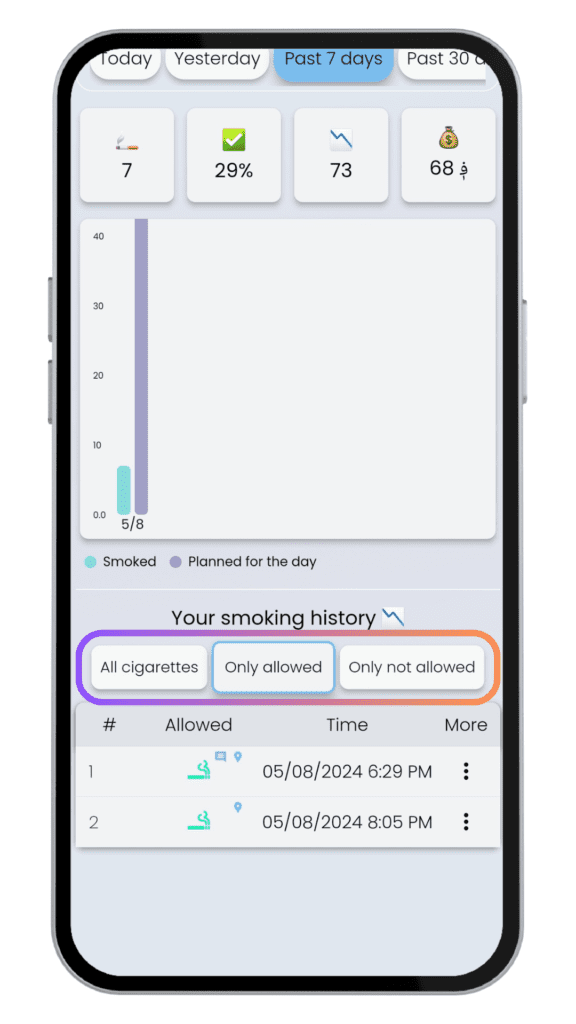
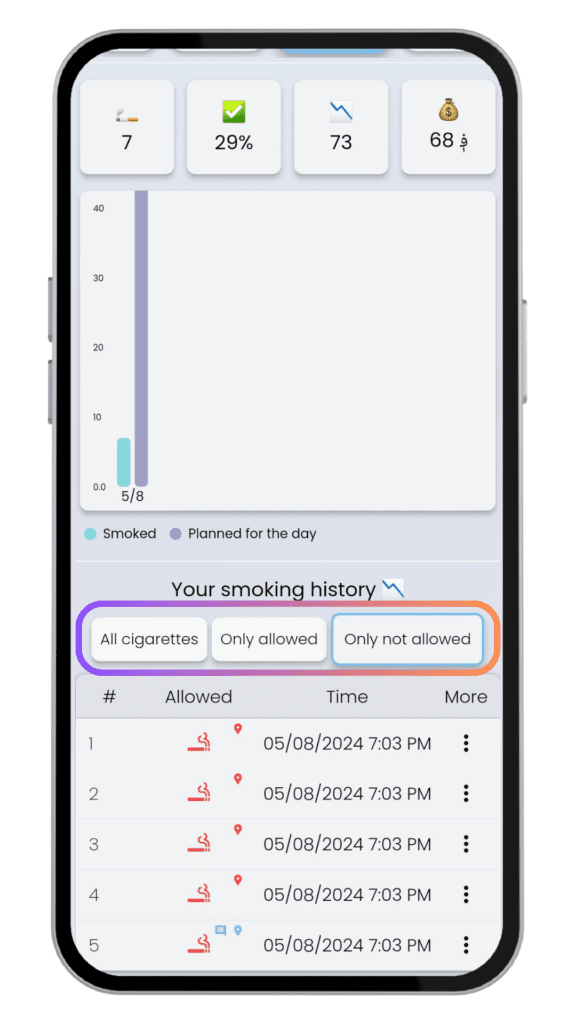
This feature lets you sort and view your logged cigarettes in three specific ways. Instead of one long list, you can isolate the data that matters most for your progress right now.
The Three Filter Views
1. View All
See your complete, unfiltered history. This is your big-picture overview, perfect for tracking your total reduction over time.
2. Allowed Only
Focus only on the cigarettes you smoked within the rules of your personalized quit plan. This view highlights your successes and helps you see how well your current plan is working.
3. Not Allowed Only
Isolate the cigarettes you smoked outside your planned schedule. This is your most valuable view for learning. These are the moments where your plan met a real-world challenge.
How to Use the Filter for Real Progress
Filtering isn't just about organizing data—it's a tool for behavioral change. Here’s how to use each view strategically.
1. Find Your Triggers with the "Not Allowed" View
This is where the real learning happens. Look at your "Not Allowed" cigarettes and ask:
- Time: Did they cluster around a specific time of day (e.g., after lunch, during the evening)?
- Context: Were you stressed, bored, socializing, drinking coffee, or on a work break?
- Location: Did they happen in your car, outside a specific building, or at home?
If you use the app's commenting feature, your notes here are pure gold. They provide the "why" behind the slip-up.
2. Build Confidence with the "Allowed" View
Don't just focus on the slip-ups. Regularly review your "Allowed Only" history to see your wins. This reinforces that your plan can work and builds motivation by showing tangible proof of your control.
3. Track Overall Trends with "View All"
Use the full history weekly to see your macro-trend. Is the total number going down? Are the gaps between cigarettes getting longer? This broad view helps you maintain perspective and celebrate your overall journey.
Turning Insight into a Better Quit Plan
The goal of filtering is to move from observation to action. Once you spot a pattern in your "Not Allowed" view, you can adjust.
- Pattern: You always have an unplanned cigarette during your 3 PM work slump.
Action: Schedule a 10-minute walk or a healthy snack for 2:45 PM. Adjust your plan to include this craving time if needed. - Pattern: Social drinks lead to multiple unplanned cigarettes.
Action: Practice a refusal script, switch to a non-alcoholic drink first, or plan to leave gatherings a bit earlier during this phase.
Your quit plan isn't set in stone. It's a living strategy that you refine based on the data from your own habits.
Key Takeaway
Quitting smoking is a process of learning about yourself. The CraveLess.ME history filter transforms your smoking log from a simple tracker into a personal research tool. By regularly filtering your history—especially to analyze "Not Allowed" moments—you stop guessing and start strategically adapting your plan to overcome your unique challenges, one insight at a time.
FAQs About the Smoking History Filter
How do I access the filter feature?
Navigate to your smoking history/log within the CraveLess.ME app. You should see a "Filter" button or menu near the top of your history list.
Does filtering delete any of my data?
No. Filtering only changes your view of the data. All your logged cigarettes remain safely stored and will reappear when you switch back to "View All."
How often should I review my filtered history?
For best results, do a quick daily check of your "Not Allowed" view to spot recent triggers. Do a more thorough weekly review using all three filters to assess your overall progress and plan adjustments.
Can I filter by date or time as well?
The current feature filters by "Allowed" status. For date-based review, you can scroll through your full history or use the app's calendar view to see your log for specific days.
CraveLess.Me Team
Empowering individuals to reclaim their health and freedom from nicotine through science-backed strategies, innovative technology, and compassionate support.